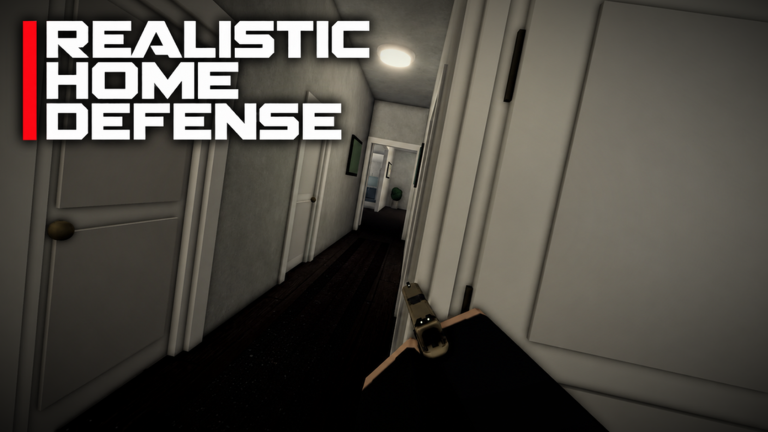
- REALISTIC HOME DEFENSE runs on Roblox across PC, console and mobile — one account can play from any of them.
- Third-party directories list 16 players per server; confirm in-game as updates land.
- Playing with friends earns bonus cash (confirmed), and joining the IBA Community group adds a second multiplier.
- The game is reached from the official Roblox page — no separate download or launcher.
Getting Into the Game
Playing REALISTIC HOME DEFENSE needs nothing beyond a Roblox account. Open the official game page and press Play. On PC it runs in the Roblox player or app; on console it appears through the Roblox app on Xbox, and on mobile through the iOS or Android Roblox app.
The official description confirms dedicated control schemes for all three platforms — keyboard and mouse, controller, and touch — so the experience is designed cross-platform from the start. Mobile players get on-screen buttons that can be edited in Settings.
Playing With Friends
Squad play is not just more fun in REALISTIC HOME DEFENSE — it pays. The official description confirms a cash bonus for playing with friends. The practical flow:
- Coordinate your entry
Join from each other’s Roblox profiles or use the server list on the game page to enter the same server.
- Join the IBA Community group first
Membership in the developer’s Roblox group grants an extra money multiplier on top of the friends bonus — IBA Community on Roblox.
- Split your roles
With realistic mechanics, one player holding an angle while another moves and leans is stronger than everyone pushing together. The Tips and Tricks breaks down the movement habits that make this work.
Servers and Capacity
Third-party directories currently list a 16-player capacity per server for REALISTIC HOME DEFENSE. That figure comes from directory data, not the developer, so treat it as approximate — server caps can change in updates, and the game itself is the final authority. The game’s update history is tracked on the Update Log.
Private servers: whether VIP or private servers are offered — and at what price — is set on the Roblox game page. Check the servers tab there for the current offering rather than relying on third-party claims.
Learning the Actual Gameplay Loop
Each round asks you to defend a home under pressure using realistic weapon handling:
- Aim deliberately — right click to aim down sights instead of hip-firing
- Manage reloads behind cover (R on PC, X on controller)
- Use Q and E to lean around corners before committing
- Switch fire modes with V to match the engagement distance
- Spend cash wisely; stack the friend and group multipliers every session
Every input above is documented in the official description and expanded in the Controls Reference.
FAQ & Troubleshooting
Is REALISTIC HOME DEFENSE cross-platform?
Yes. The official description documents controls for PC, console and mobile, and Roblox experiences are playable from any device where you can log in to the same account.
How many players fit on one server?
Third-party directories list 16 players per server. That is directory data rather than a developer statement — the in-game experience is the reliable source, and caps can change with updates.
Do I need game passes to enjoy it?
No. Game passes for armor and weapon loadouts are optional upgrades. The core loop, all platforms and both cash multipliers are available without spending anything.